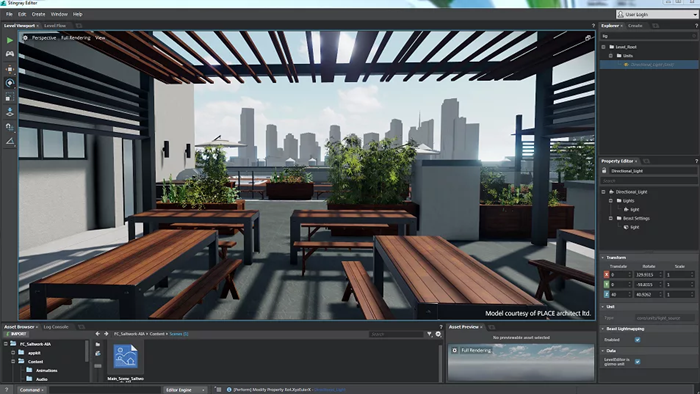
3D visualization in architecture is a way to transform drawings, diagrams, and technical specifications into visual representations of the future space. It helps visualize proportions, materials, lighting, and the environment before construction begins, reducing the risk of making incorrect decisions.
Modern visualization is used at all stages: from conception and approvals to marketing and client presentations. It is created using specialized modeling programs, materials with physically correct properties, and realistic lighting. In complex cases, a 3D rendering studio is involved.
Advantages of 3D visualization for architects and clients
The main value of visualization is reducing uncertainty. When a solution is clear in advance, it is easier to discuss it concretely rather than just guessing.
- Speed up approvals: A clear image facilitates dialogue between the architect, client, engineers, and contractors.
- Early error detection: Dimensional inconsistencies, collisions, poor planning, and lighting issues are more noticeable in a 3D scene.
- Budget savings: revisions are cheaper during the visualization stage than after procurement or during construction.
- Marketing effectiveness: Renders and animations are suitable for catalogs, websites, investor presentations, pre-sales, and advertising materials.
- Material decisions: It’s easier to compare finishes, color palettes, furniture, and lighting schemes without expensive sample samples.
- Improved project quality: Visual verification helps refine proportions, façade design, and the atmosphere of the space to create a coherent result.
Result: 3D visualization – This isn’t just an effective presentation, but also a working tool for project control. When adhered to the rules of precision, lighting, materials, and design standards, it improves the quality of architectural solutions and makes the approval process faster and more transparent.
Preparing Source Data: Geometry, Dimensions, References, Levels
The goal of preparation is to bring the project to a unified, verifiable structure: clear levels and axes, unambiguous dimensions, a logical model free of «junk» geometry and with predictable reference points for import, camera placement, and lighting.
What Should Be in the Source Files Before Visualization?
- Geometry: closed volumes where correct shadows and reflections are needed; no duplicates, intersections, or unnecessary microdetails; Adequate detailing for the render purpose (exterior/interior/close-ups).
- Dimensions and units: uniform measurement system (mm/cm/m) in all files; verification of key dimensions (floor heights, slab thicknesses, openings, roof elevations, window sill/parapet heights).
- References and coordinates: fixed project «zero» point, axes, baselines; correct model position relative to the site/master plan; no accidental shifts during export/import.
- Levels/elevations: agreed upon floor levels, finished/rough floors, ground and landscaping elevations; Unified level naming logic and control over vertical connections (stairs, elevator shafts, interfloor differences).
- Layer/category structure: clear groups (walls, floors, glass, railings, furniture, surroundings); switchable utility elements; preparation for material assignment.
- Formats and compatibility: selected transfer format (e.g., IFC/FBX/DWG) and post-conversion validation; Check normals, smoothing, scale, and axis orientation.
- Check geometry: remove duplicates, fix intersections, close holes, adjust normals.
- Fix units and scale: check against a reference size (doorway, floor height, axis spacing).
- Match levels and elevations: confirm heights, differences, fit to the terrain, and reference to the master plan.
- Organize the structure: layers/groups, naming, division into logical parts for easy replacement and edits.
- Run a test import: open in the target software, check coordinates, scale, distortions, and display accuracy.
Result: prepared source data produces a predictable 3D model in which cameras, lighting, and materials work correctly, and edits do not break the project. Accurate geometry, consistent dimensions, reliable references, and verified levels reduce timelines, reduce iteration costs, and increase confidence in visualization as a decision-making tool.3D visualization in architecture: rules for scene preparation, lighting, and materials, scale and angle control. Advantages: clarity, client approval, and precise edits.